

How to Share Sumsub KYC with Transak

Generate a Sumsub KYC share token and pass it to Transak to skip re-verification

View as Markdown

If your users have already completed KYC with Sumsub, you can share that verification with Transak using a KYC share token — so users don’t have to repeat KYC. Follow these steps to generate the token in Sumsub and pass it to Transak.
1

Log in to Sumsub Dashboard

Access your Sumsub dashboard at cockpit.sumsub.com and open your project.

Sumsub Dashboard
2

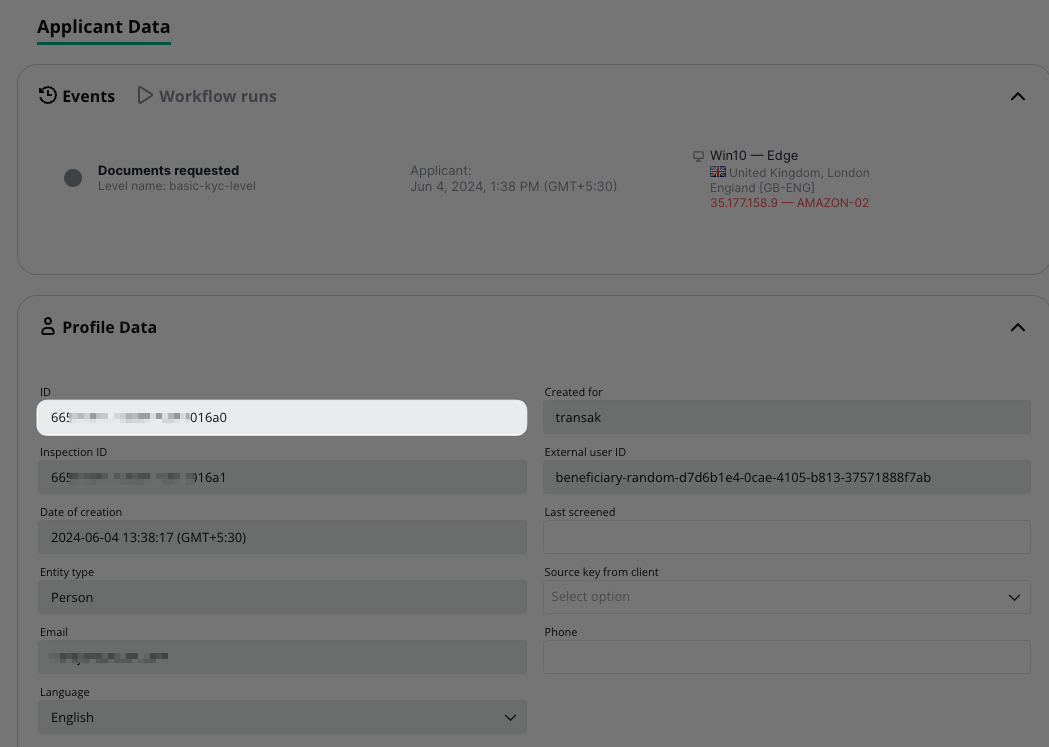
Retrieve Applicant ID

Retrieve your APPLICANT_ID (e.g., 665xxxxxxxxxxxx6a0) from the dashboard.

3

Generate KYC Share Token

Generate your KYC share token using the Sumsub API with the following parameters:

applicantId
stringRequired

The Applicant ID retrieved from Step 2

forClientId
stringRequired

Must be set to transak to share data with Transak

ttlInSecs
numberRequired

Token validity in seconds (e.g., 600 for 10 minutes). Maximum 1200 seconds (20 minutes).

API Request:

$curl --request POST \
> --url https://api.sumsub.com/resources/accessTokens/shareToken \
> --header 'content-type: application/json' \
> --data '{
> "applicantId": "APPLICANT_ID",
> "forClientId": "transak",
> "ttlInSecs": "600"
> }'
4

Pass KYC share token to Transak (Embed Integration)

Include the KYC share token in your Create Widget URL with the following parameters:

kycShareTokenProvider
stringRequired

Set to SUMSUB (hardcoded value for Sumsub provider)

kycShareToken
stringRequired

The secured KYC share token generated in Step 3

API Request:

$curl --request POST \
> --url https://api-gateway-stg.transak.com/api/v2/auth/session \
> --header 'accept: application/json' \
> --header 'access-token: YOUR_ACCESS_TOKEN' \
> --header 'authorization: YOUR_USER_AUTH_TOKEN' \
> --header 'content-type: application/json' \
> --data '{
> "widgetParams": {
> "apiKey": "YOUR_API_KEY",
> "referrerDomain": "yourdomain.com",
> "kycShareTokenProvider": "SUMSUB",
> "kycShareToken": "eyJhbGciOiJub25lIn0..."
> }
>}'