

How to Track Order Status

Monitor order lifecycle with APIs, webhooks, and WebSocket updates
View as Markdown

Track the status of user orders and receive real-time updates using any of the following integration options:

Order Flow
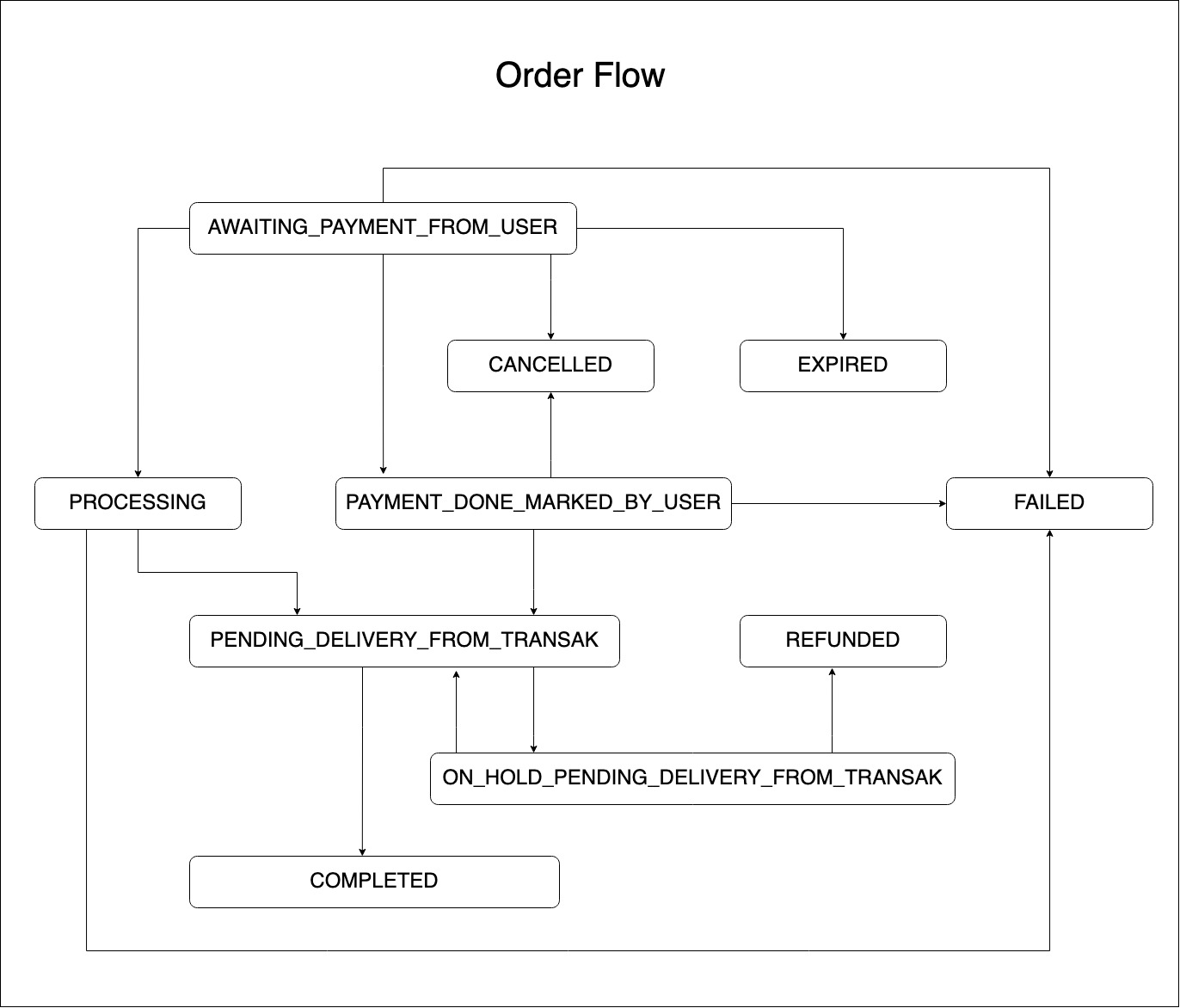
Order Status Flow Diagram

Order Status Reference

Status CodeDescription
AWAITING_PAYMENT_FROM_USERWhen the order is created but the payment still not received.
PAYMENT_DONE_MARKED_BY_USERWhen the user marks the payment as done but it is received by us yet.
PROCESSINGOrders in the PROCESSING state have passed the checks and the user’s payment information has been validated.
PENDING_DELIVERY_FROM_TRANSAKWhen the payment is received and being exchanged & transferred via us or our liquidity partner.
ON_HOLD_PENDING_DELIVERY_FROM_TRANSAKOrder is on hold.
COMPLETEDWhen we have received the payment and the crypto is sent successfully to the user.
CANCELLEDOrder is cancelled.
FAILEDWhen the order is failed, e.g.: because of the card decline.
REFUNDEDOrder is refunded to the user.
EXPIREDWhen the user failed to make the payment within the timeframe.

Use Cases

1

Returning User — Skip KYC

Check if the user has already onboarded with Transak. If so, remind them they don’t need to complete KYC again.

2

Pending Order — Resume Flow

Check if the user has a pending order and direct them to complete it rather than starting a new one.

3

Failed Order — Retry with Different Card

If an order fails, direct the user to retry with a different payment method or card.

4

Disabled User — Risk Decisions

Use Transak’s user status signals (e.g. disabled user) as an input into your own risk management decisions.