Customizing theme using query parameters

Customize the look and feel of the Transak widget
View as Markdown

Use Transak’s theme-related query parameters in widgetParams to customize button colors, color mode, and the full widget theme.

Pass these parameters in the Create Widget URL API request body when generating a widgetUrl.

apiKey and referrerDomain are mandatory in widgetParams for all examples on this page.

Primary Button Colors

Use these parameters to customize the primary button background and text color.

ParameterDescription
primaryButtonFillColorHex color for the button background
primaryButtonTextColorHex color for the button text

Sample Result

Primary CTA button restyled to match brand mustard and dark grey text using primaryButtonFillColor and primaryButtonTextColor.
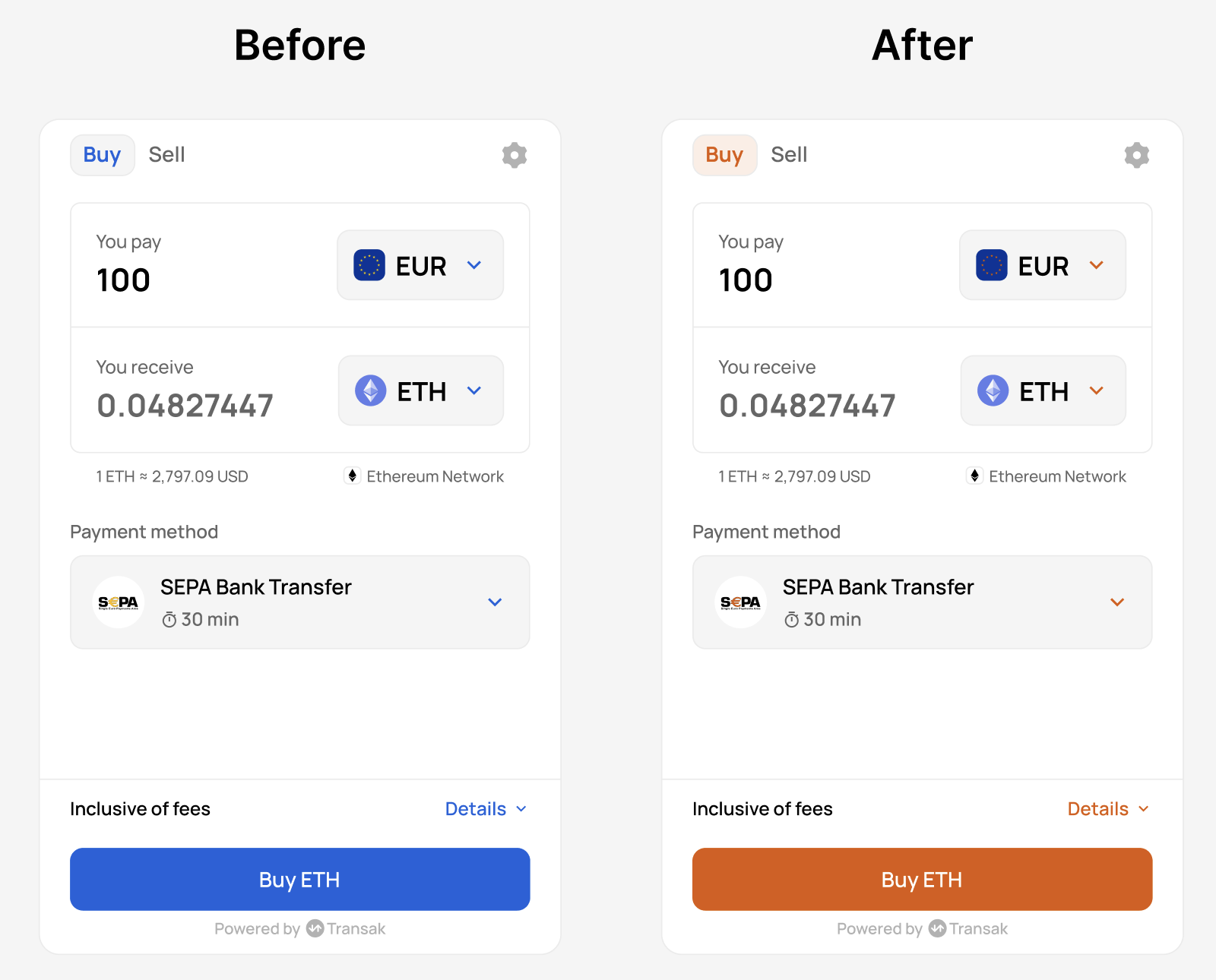
Primary button color customization example

Sample Request

$curl --request POST \
> --url https://api-gateway-stg.transak.com/api/v2/auth/session \
> --header 'accept: application/json' \
> --header 'access-token: YOUR_ACCESS_TOKEN' \
> --header 'content-type: application/json' \
> --data '{
> "widgetParams": {
> "apiKey": "YOUR_API_KEY",
> "referrerDomain": "yourdomain.com",
> "primaryButtonFillColor": "#F59E0B",
> "primaryButtonTextColor": "#0B0B0B"
> }
> }'

Color Mode

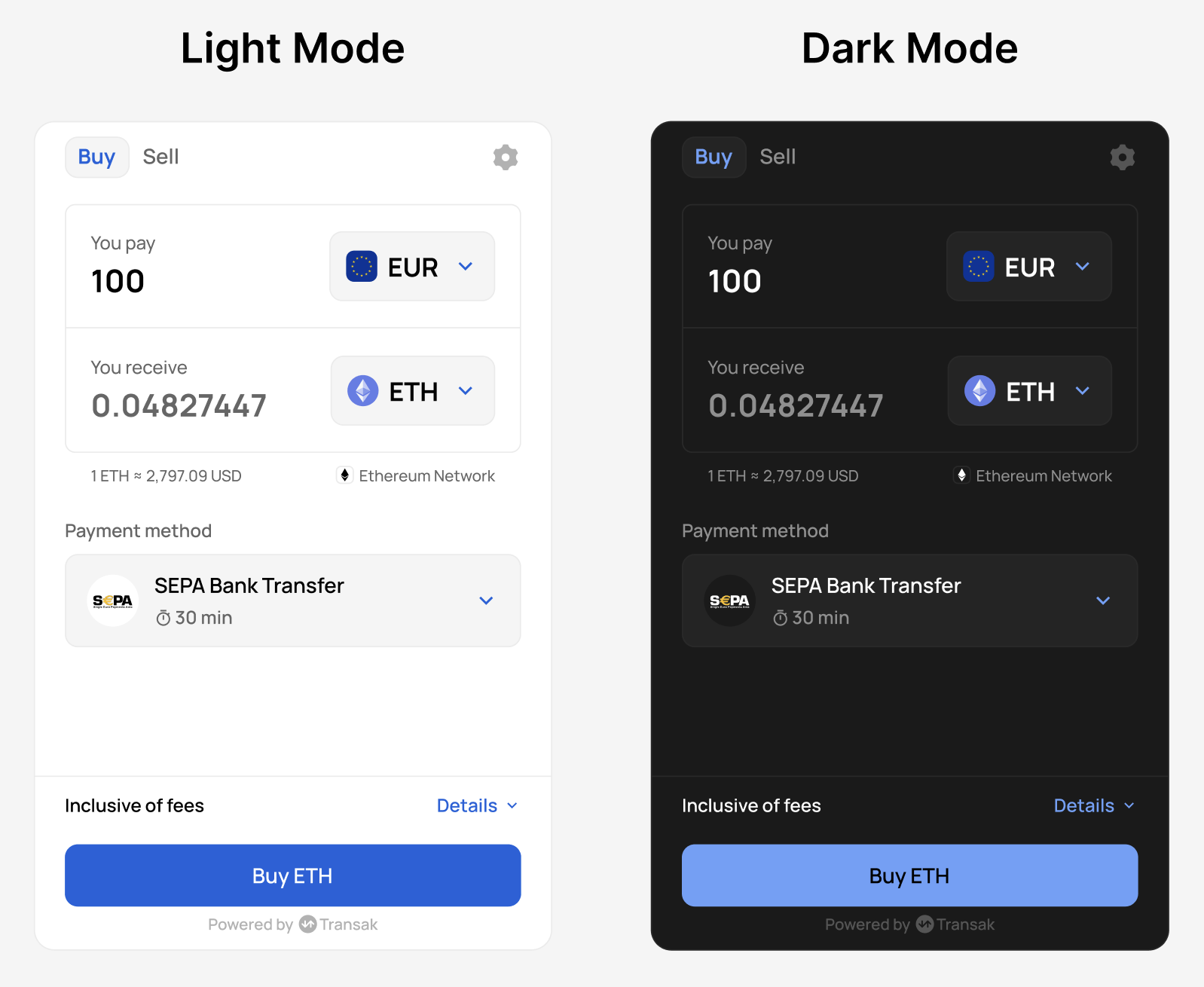
Use colorMode to switch the widget between light and dark themes.

ParameterAllowed valuesDescription
colorModeLIGHT, DARKSets the widget theme mode

Sample Result

Color mode dark theme example

Sample Request

$curl --request POST \
> --url https://api-gateway-stg.transak.com/api/v2/auth/session \
> --header 'accept: application/json' \
> --header 'access-token: YOUR_ACCESS_TOKEN' \
> --header 'content-type: application/json' \
> --data '{
> "widgetParams": {
> "apiKey": "YOUR_API_KEY",
> "referrerDomain": "yourdomain.com",
> "colorMode": "DARK"
> }
> }'

Complete Theme Customization

Use the following parameters together to fully align the widget with your brand.

Brand and Text Colors

ParameterDescription
brandColorPrimary brand color for accents and links
textPrimaryColorPrimary text color
textSecondaryColorSecondary or muted text color
labelTextColorForm label text color

Surface and Background Colors

ParameterDescription
surfaceFillColorCard or surface background
widgetBackgroundFillColorWidget container background
borderColorBorder color for inputs and cards

Status Colors

ParameterDescriptionExample value
greenColorSuccess or positive state#10B981
redColorError or negative state#EF4444

Putting It All Together

Below is an example combining color mode, primary button styling, and full theme customization into a single widget URL flow.

Sample Result
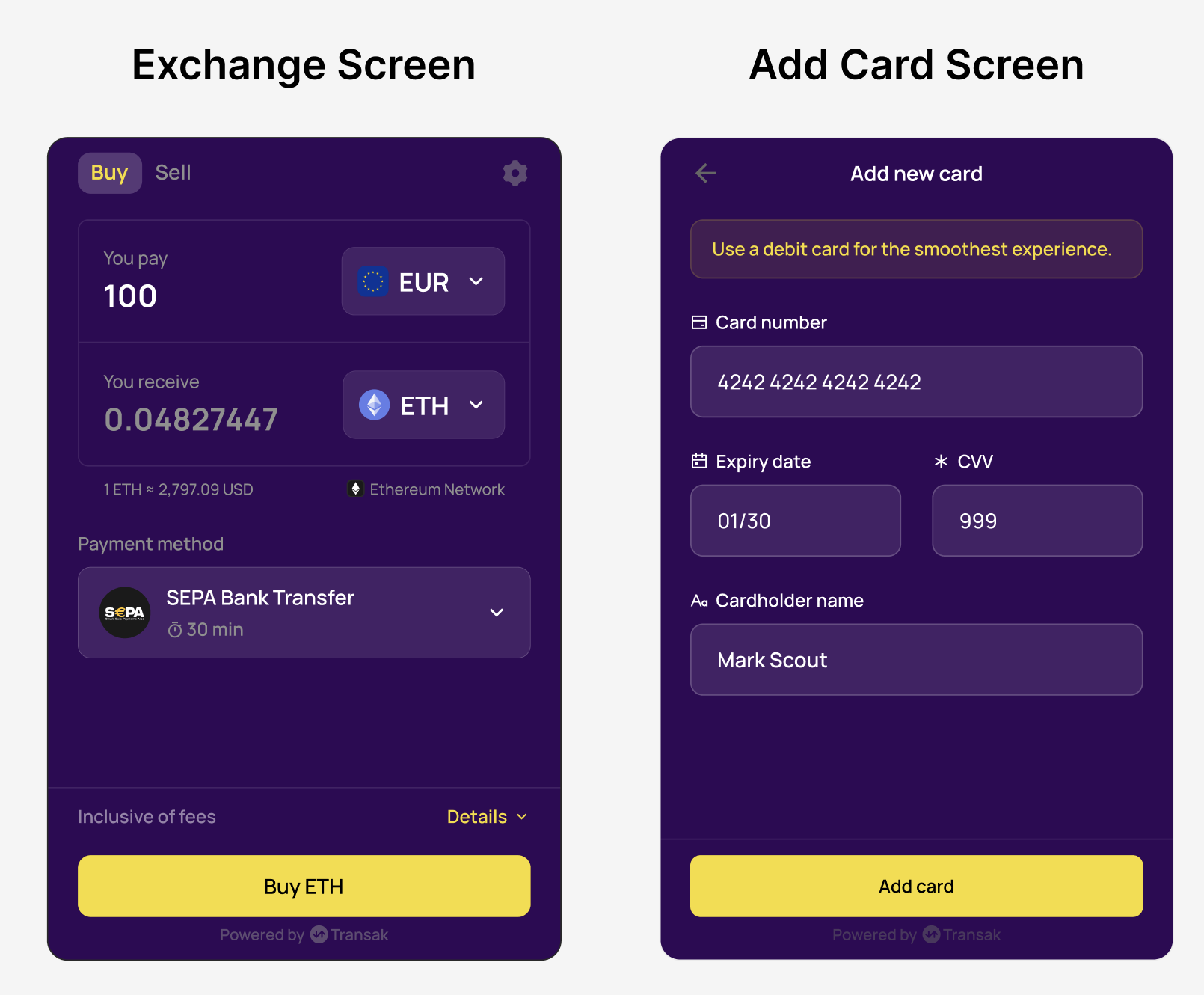
Complete theme customization example

Sample Request

$curl --request POST \
> --url https://api-gateway-stg.transak.com/api/v2/auth/session \
> --header 'accept: application/json' \
> --header 'access-token: YOUR_ACCESS_TOKEN' \
> --header 'content-type: application/json' \
> --data '{
> "widgetParams": {
> "apiKey": "YOUR_API_KEY",
> "referrerDomain": "yourdomain.com",
> "brandColor": "#F6DC2D",
> "textPrimaryColor": "#FFFFFF",
> "textSecondaryColor": "#8F8F8F",
> "labelTextColor": "#FFFFFF",
> "surfaceFillColor": "#452167",
> "widgetBackgroundFillColor": "#300856",
> "borderColor": "#6A4D85",
> "greenColor": "#34D399",
> "redColor": "#EF4444"
> }
> }'