

KYC Reliance using Sumsub (APIs)
Pass a user's Sumsub KYC share token to Transak with the Whitelabel API
Before you start
- Set up Sumsub as described in Sumsub Configurations.
- Generate the user’s Sumsub KYC share token. See How to Share Sumsub KYC with Transak.
Whitelabel API flow
If you integrate with the Whitelabel API, call these APIs after the user shares their Sumsub KYC:
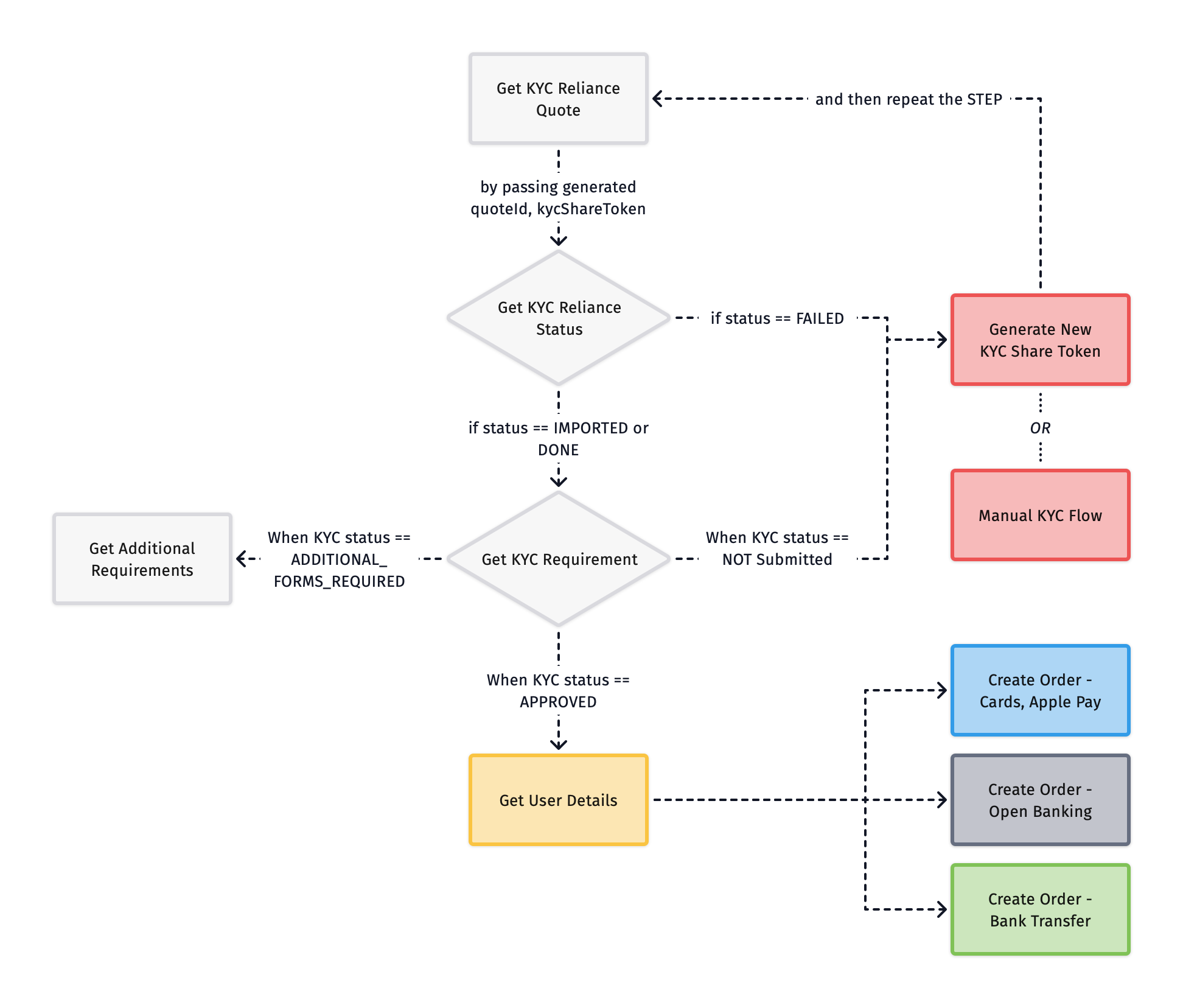
API sequence
Get KYC Reliance Quote
Call Get KYC Reliance Quote with kycShareTokenProvider and kycShareToken alongside the common fields used in the standard Get Quote API.
On success, you will receive a quoteId to use in the next step.
Get KYC Reliance Status
Call Get KYC Reliance Status with the quoteId and kycShareToken to fetch the user’s KYC status, then route accordingly:
Things to consider
- KYC Reliance supports only SumSub providers, and more are coming soon.
- KYC Reliance supports only Standard KYC as the default process, where Document ID and Selfie checks are mandatory. The partners should pass the Document ID and Selfie documents to get the complete whitelabel experience to onboard their users seamlessly as per the steps mentioned in the docs.
- Purpose Of Purchase is a mandatory step in Transak’s KYC system, even for KYC Reliance flows.
- Refer to the detailed step-by-step guide to generating the KYC Share token using SumSub docs.