

How to Test Using Sandbox Credentials
KYC
The KYC (Know Your Customer) experience on the staging environment closely mirrors the experience on the production environment. The primary difference between the two environments is that all checks performed on the staging environment are dummy checks, and the KYC result on staging is always approved.
Creating Test Account in Staging: (US Account)
You can use the below credentials to create a staging account for US KYC Level 1 and Level 2 verified users.
- Level 1: Lite KYC — Only Personal and Address details are required.
- Level 2: Standard KYC — Personal, Address, and ID Proof (Document and Selfie) are required.


ID Proof & Selfie — Choose your image
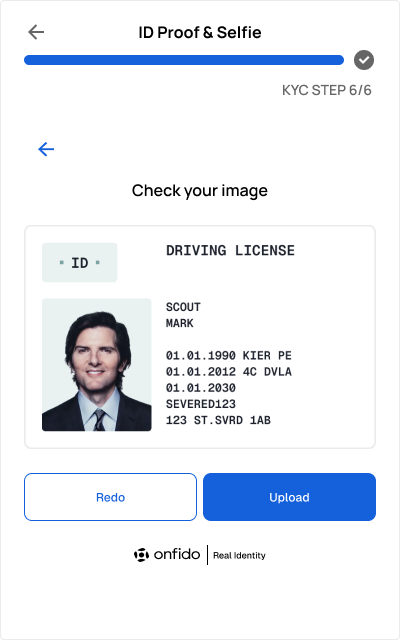
- Choose your Issuing Country as United States
- Choose your Accepted documents as Driver’s license
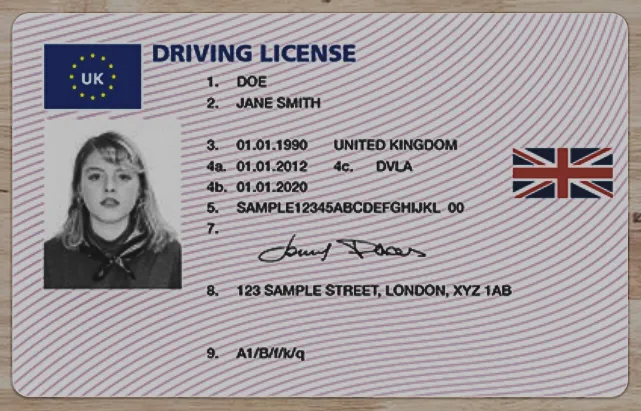
- Use the test document below (the same document can be used to upload the front and back sides)
- The Upload document option is available only in the desktop version.
To create a test account on mobile in staging, use your mobile camera to take a picture of the test document.
.png "Selfie")
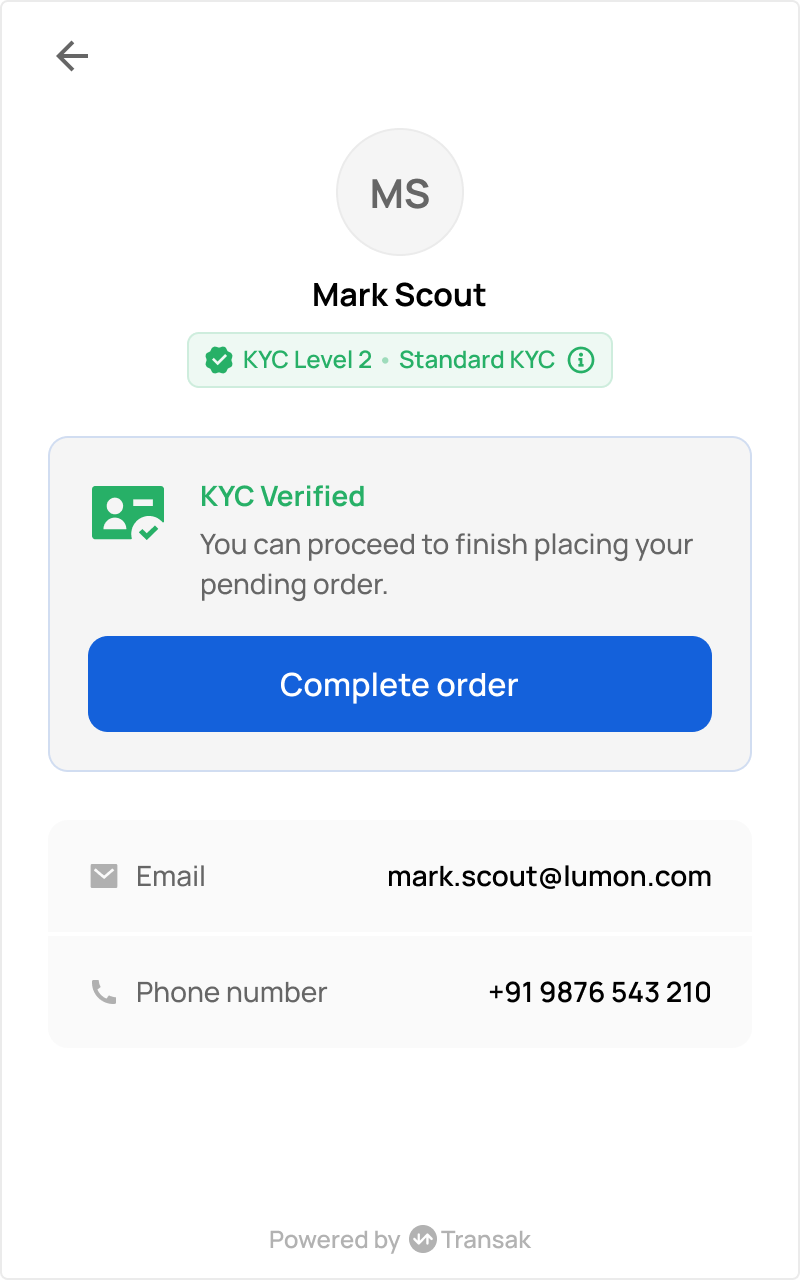
For US: Use SSN no.
123456789to create a test account.
Payment Credentials
Bank Transfer
- Test IBAN: Use IBAN generator to generate your unique IBAN
- If you’re required to enter a code to validate the bank account or phone number for the test transactions, you can enter
000000for both to complete this verification.
Card Payments
You can use the below test cards to test card payments.
The password for Payment Authorization 3Ds screen is Checkout1! in staging
Card Payouts
You can use the below test cards to test withdrawals by card payments.
Use 000000 for both the bank account and phone number verification codes during test transactions.
Google Pay
For testing Google pay transaction, user need to join one group from this link from valid gmail account to enable test cards.
Astropay (CLP)
BPI & UBP (PHP)
Successful Payment
Negative Scenarios: User didn’t authorize bank account.
Upon failed authorization, user will be redirected back to failure_redirect_url.
A payment method which is not available on this page is not available for testing in the staging environment.
Simulating Failed & Refunded Orders
To simulate failed and refunded orders in the staging environment, simply use special email aliases. This allows you to test how your system responds to unsuccessful transactions across all Transak products.
How to Simulate
Use special email aliases when placing test orders
- Add
+refundto your email address to simulate a refunded order. - Add
+failedto simulate a failed order.
Most email providers support plus addressing, so emails sent to aliased addresses like yourname+refund@example.com will still be delivered to your main inbox.
Skip FCA Journey
For UK users, the FCA appropriateness assessment normally requires a mandatory 24-hour cooling-off period before an order can be placed. To bypass this entire journey in the staging environment. Partner can follow below steps to skip the FCA journey and place an order immediately.
How to Simulate
Blockchain Testnets (Onramp)
ERC-20 token transfers across the following five networks will utilize the ERC-20 Transak Test Token (TRNSK).
- ERC-20 example (staging): Buying 100 USDC on Polygon delivers 100 TRNSK to your wallet; the transaction hash shows a transfer of 100 Transak Test Token.
- Native tokens: Buying 1 ETH on Ethereum or 100 MATIC on Polygon still completes successfully, but no tokens are sent to your wallet.
- Off-ramp: Buy TRNSK via on-ramp, then send TRNSK to us to test off-ramping.
This is applicable for all Transak products (On-ramp, NFT Checkout, Transak One). We don’t send native tokens like ETH, MATIC, BNB on their respective blockchains. Only ERC-20 tokens are sent on the chains mentioned below.
Apart from the tokens and chains mentioned above, actual tokens will not be delivered to your wallet, but you can place a dummy order to see the user experience.
Testing Off ramp orders
For off-ramp, place orders only for native tokens supported and transfer the official testnet token on that network for order to be reconciled automatically.