

Transak Auth
Log users in with a one-time password that Transak emails to them.
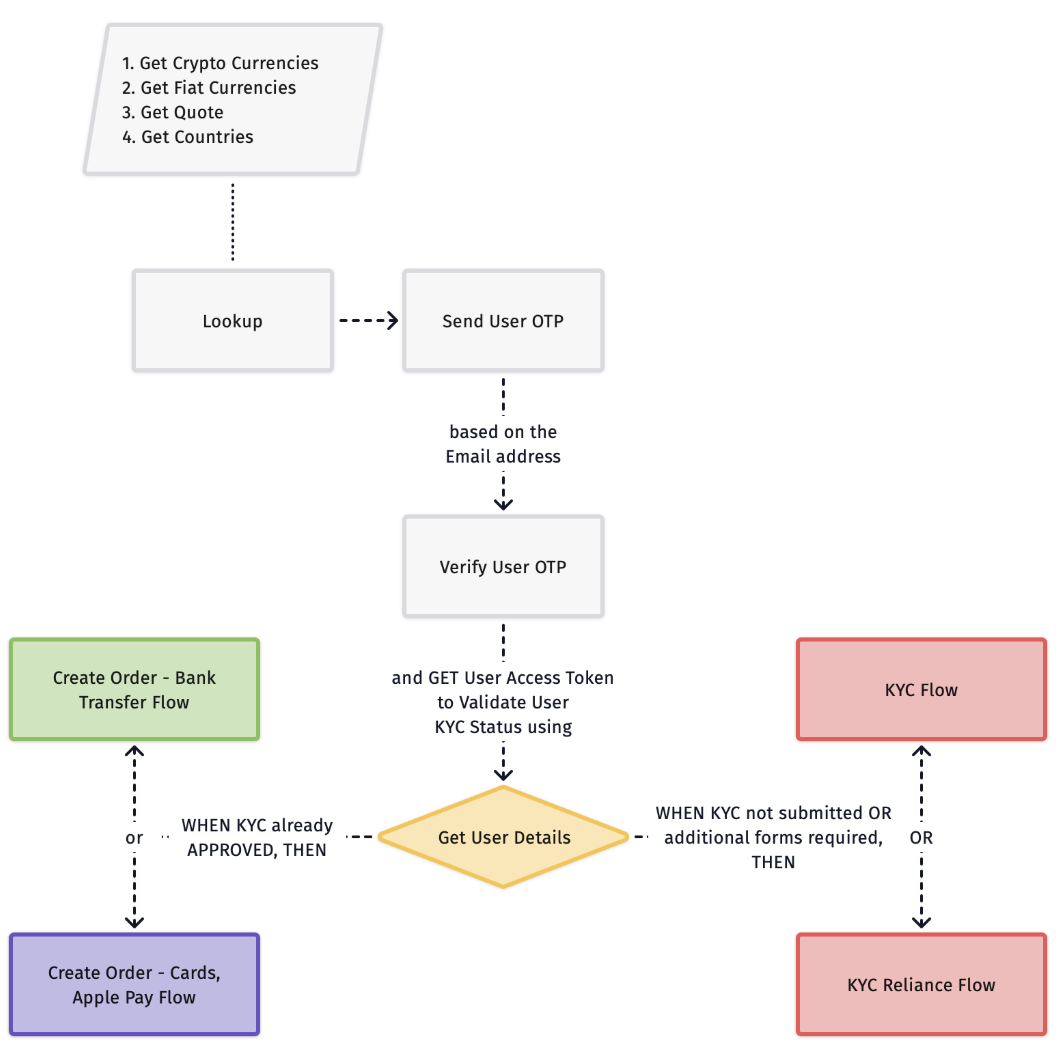
Transak verifies the user with a one-time password sent to their email address.
Send User OTP
Call Send User OTP with the user’s email address. Transak sends a one-time password to the user’s inbox.
Verify User OTP
Call Verify User OTP with the following parameters:
On success, store data.accessToken. This is the User Access Token required for all subsequent authenticated API calls.
Send the token on every call
Send the access token in the authorization header on its own, with no Bearer prefix. It is valid for 30 days.
Refresh the token before it expires
Call Refresh User Access Token before the token expires. If it has already expired, log the user in again from Send User OTP.
Returning users
If you already have a stored access token, call Get User Details with it. A 401 response means the token is missing, invalid or expired: log the user in again from Send User OTP.
API Overview
See Error Codes for the authentication errors (10xx) these APIs return.