
👁️🗨️ Auth Reliance through APIs
ℹ Overview
Auth Reliance is a Transak feature that allows partners to authenticate users without re-login into the Transak authentication flow.
❔How it works
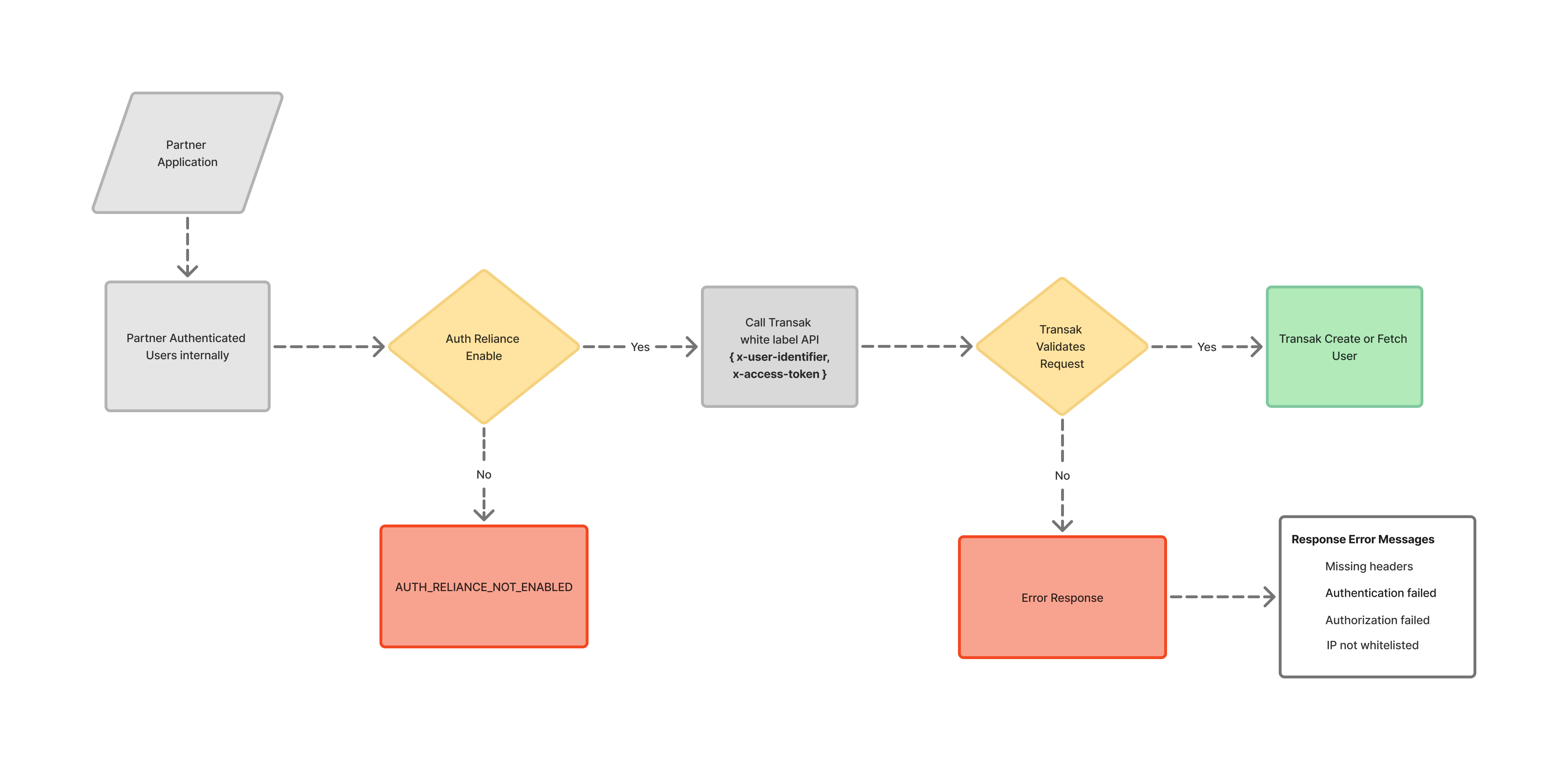
- The user logs in to the partner application
- The partner authenticates the user internally
- The partner calls Transak Whitelabel APIs using two additional headers as below:
- Partner access token (
x-access-token) - User's email address (
x-user-identifier)
- Partner access token (
- Transak validates the request and processes it as a partner-delegated user session.
🚧 Current Limitations & Known Constraints
-
Payment Method Restrictions:
-
Supported: Bank transfers and open banking only
-
NOT Supported: Cards, Apple Pay, Google Pay
-
-
Architecture Constraint: Server-to-server communication is limited to the partner's IP whitelisting. (This feature is not supported in frontend widgets)
䷿ Prerequisites
Configuration Requirements:
- Auth Reliance enabled on your API key.
- Partner access token generated using https://docs.transak.com/reference/refresh-access-token
Use Auth Reliance if:
- You already authenticate users in your app
- You want to avoid additional login or account setup steps
Do not use Auth Reliance if:
- You cannot reliably identify the end user
To enable Auth Reliance:
- Locate the chatbot in the bottom-right corner of the dashboard upon logging into [https://dashboard.transak.com/].
- Select Integration under the “Talk to us” options, and Request Auth Reliance enablement for your API key on the chatbot
- Provide your public IP address to whitelist it on Transak's side so you can use Auth Reliance features.
📈 E2E Flow
Updated about 5 hours ago