

Partner FAQs
On-Ramp / Off-Ramp
Which countries and payment methods does Transak support?
Full coverage (fiat currencies, payment methods, fees, and limits) is listed on the coverage page and the global coverage map. Coverage varies by region; users from unsupported regions cannot be processed.
How do I get a new token listed on Transak for on-ramp?
Token listings require a one-time listing fee. The process is:
- Agree on the listing fee with your account manager.
- Compliance and due-diligence review (AML, Elliptic coverage checks).
- Technical integration by Transak’s team.
Once listed, the token is available to all Transak partners. Contact your account manager for a listing proposal.
Why are some US states blocked for buying certain tokens?
Certain US states have regulatory restrictions on specific tokens. Use the Get Cryptocurrencies API and filter by state to see which assets are supported in each state.
Partner Experience
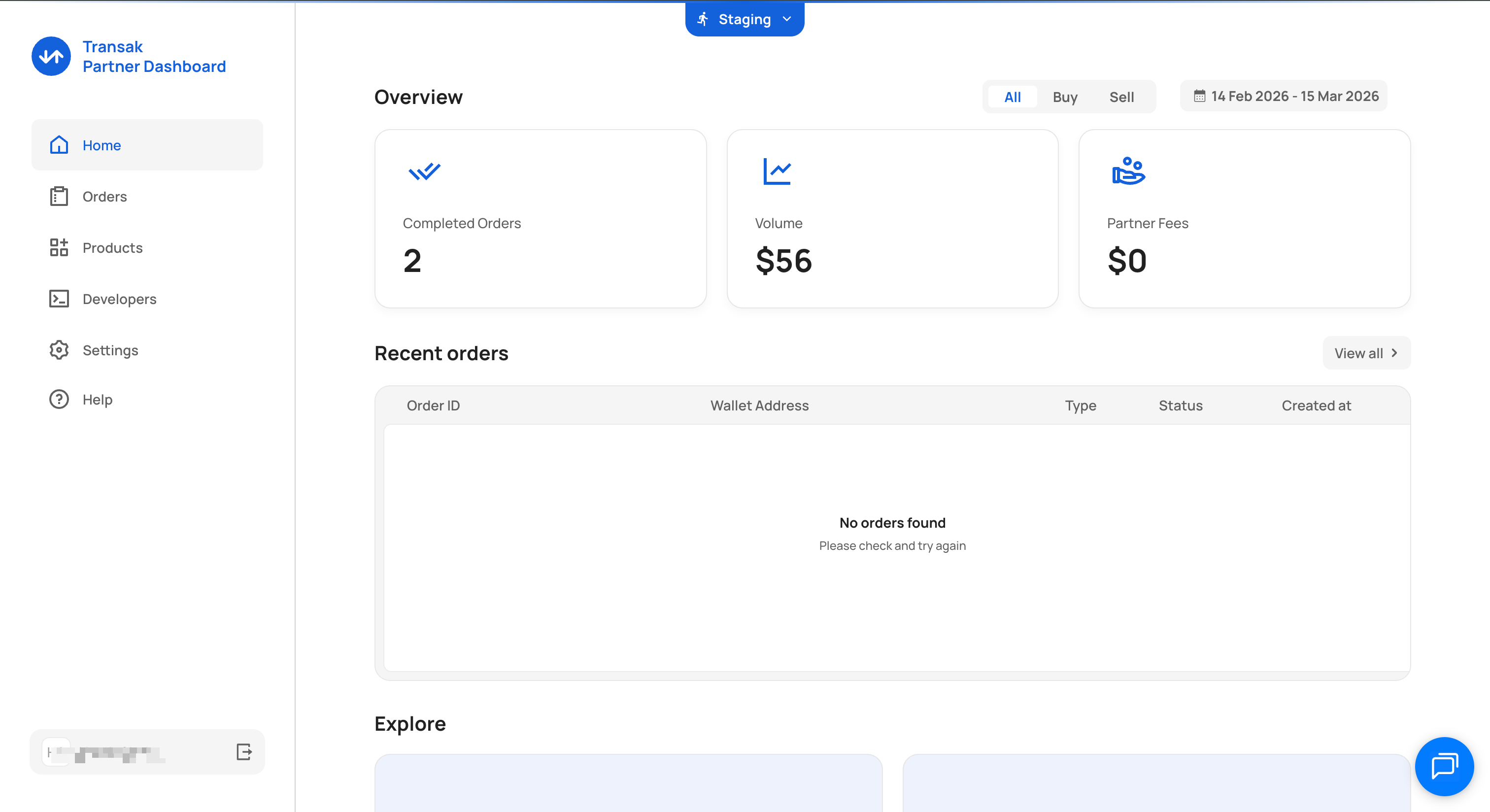
How do I find my staging and production API keys?
How to set the partner fee?
You can use the Settings page of the Partner dashboard to set the additional partner fee. Enter the desired percentage in FEE PERCENTAGE and click Update.
How to update our webHookUrl?
Should Transak APIs be called from frontend?
No. Authentication and sensitive endpoints must be called from backend only to avoid CORS issues and protect API keys.
Widget blocked due to domain not whitelisted
Submit the additional domain for whitelisting; domain must match exactly with referrerDomain used during session generation.
Why am I getting an 'invalid or expired session' error?
The “Invalid or Expired Session” error occurs when the same widgetUrl having same sessionId is reused or reopened after it has already been consumed or expired.
Since each sessionId is single-use, once the widget flow is completed, closed, or expires, the same widgetUrl cannot be used again. A new sessionId must be generated for every new user flow.
How do I authenticate API calls and refresh the access token?
We're calling the session API too many times and getting errors. What's best practice?
Call the session API once per user session from your backend to generate a widget URL. Calling it repeatedly can consume the one-time token (OTT), causing subsequent loads to fail.
Best practice:
- Store the access token in a server-side cache (e.g. Redis) with a TTL.
- Only refresh the token when the cached one has expired (the expiry time is returned in the API response; the token is valid for 7 days).
- Never call the session or refresh-token endpoints from the frontend.
The OTT stays valid for its full 5-minute lifetime, allowing user retries within that window.
Our API calls are failing with an 'Access denied — Cloudflare restriction' error. What should we do?
This means requests are being blocked at Transak’s Cloudflare layer. Verify your API key is correct and active. If the issue persists, contact Transak support with your API key and source IP for investigation and potential IP whitelisting.
How do I get access to the Partner Dashboard?
Log in to the Partner Dashboard with your registered email. The dashboard lets you view order data, monitor volumes, and manage your partner details.
Widget
I'm passing parameters in the query but they're being ignored.
Check that you are passing the API key in the parameters. Some parameters can only be used by partners that have had their KYB approved.
You can find out more details about our ❓ Query Parameters.
To submit your KYB use the below link to verify your business and enable your API key for Production. https://forms.transak.com/kyb
How to display your call price (e.g 1 USD = 0.9453 USDT) on our front end?
You can use our Get Price API for getting price.
These parameters are required to get response from the API.
Can we make a custom list of currencies instead of just one fiatCurrency in query parameters?
No, currently we are not supporting that feature.
How can we pass onClose event handler to the widget?
You can use TRANSAK_WIDGET_CLOSE event name.
You can find more about events here.
Is there a way to remove the chat button in the widget?
No, but you can hide the menu option using the query parameters, then the chat will also be disabled.
Is it possible to exchange fiat for crypto via the REST API?
No, we are not offering such API as of now.
How to prevent a user from editing the walletAddress?
You can use disableWalletAddressForm in our query parameters to achieve this.
You will need to pass the walletAddress. Then if disableWalletAddressForm is set to true then the wallet address screen will be skipped for the user.
Can we send metadata to the widget that the web-hook will respond to and be able to match the operations?
How do I migrate to the new Create Widget URL API?
Update your backend to call POST /api/v2/auth/session to generate the widget URL, then load the resulting URL in an iframe, WebView, or redirect. Follow the Migration guide.
Can I use Google Pay or Apple Pay with the Transak widget?
Yes, both are supported (subject to device and browser compatibility). Partners can enable or disable Apple Pay and Google Pay using the disablePaymentMethod query parameter when generating the widget URL.
Users On Boarding
Do users have to do KYC each time they make a transaction?
No, users are only required to complete KYC once.
When their KYC is approved they only need to log into their Transak account to perform future transactions. They can use the same KYC-approved Transak account with all of our partner integrations.
Can we pass Transak third party KYC via API for users instead of them going through Transak's KYC process?
Yes, we do support this feature. Please refer KYC Reliance for more details.
I want to integrate with Transak, how can I do it?
Please refer Onboarding and Integration Process Overview.
I have two websites. Can I integrate in both websites with the same API_KEY?
If two websites are with same company then you can integrate with same API_KEY.
Otherwise you need to submit KYB for each company.
Is KYC required on the STAGING environment?
No it is not required in staging. You can use our Sandbox Credentials in staging.
Is the Transak widget supported in any other languages than English?
As of now we support only English to communicate.
Gradually we will add other languages as well.
Why can't users create a new order when one is ongoing?
Users must resolve the existing order first (cancel or complete payment). This prevents duplicate or conflicting transactions.
How do I get started as a new partner?
- Complete the Integration Checklist.
- Submit KYB via kyb@transak.com.
- Set up your staging API key for testing.
Production access is enabled after KYB approval. See What is Transak to get oriented.
Can I test in staging? Are staging and production the same?
Transak provides a staging environment for testing, but staging does not enforce all the same constraints as production (some risk rules and KYC thresholds differ). Use the Sandbox Credentials to test in staging.
What are Transak's KYC levels and transaction limits?
Full KYC level details and limits are at transak.com/kyc. Limits vary by country and payment method, and are daily rather than lifetime.
Why are my users' on-ramp requests being rejected due to fraud?
Fraud rejections are driven by Transak’s internal risk policies, not by your integration. Partners cannot override risk decisions directly; Transak’s risk team reviews cases individually. To investigate, share the affected user email IDs or order IDs with Transak support.
Payments
If a user makes a bank transfer how does Transak match it to the user?
We create a virtual bank account for each user and currency. So if a Transak user has only made GBP transactions they will be asked to transfer funds each time to a bank account that is unique to them. Any funds that are sent to that unique account are reconciled with transactions made by that user.
If the user transfers funds in multiple currencies they will be assigned a bank account for each currency.
If I make payment manually for an order how would Transak know I made the payment?
We create a virtual bank account for every user.
Using that, we track the payment.
How does Transak calculate prices and fees?
Transak is dedicated to being transparent about our pricing and fees. There are four variables that are used to calculate the total amount of cryptocurrency received for the chosen amount of fiat:
- Partner fee:
P- A percentage charge applied on the transaction amount on behalf of the partner. This fee is configurable by partners.
- Transak fee:
T- A percentage charge applied on the transaction amount on behalf of Transak. This covers the fiat processing costs so is set depending on the chosen payment method: credit/debit card or bank transfer. Our fees are set out here.
- Network/Exchange fee:
N- This is the sum of the blockchain transaction fees, or gas, that is paid to make the on-chain transfer of the crypto to the user’s wallet address, plus the withdrawal fee the exchange we are using to provide liquidity. These fees vary by blockchain network and cryptocurrency, as well as changing over time depending on network demand. This fee is set by the market not by us.
- Exchange rate:
R- This is the conversion rate from fiat to cryptocurrency. It is calculated by taking an up-to-date quote of the market rate from multiple pricing services and adding a small slippage percentage. The slippage varies by cryptocurrency and is calculated according to the actual rate we are able to get in the market.
To calculate the total amount of cryptocurrency, C, for the specified amount of fiat currency, F, we calculate the total fees, deduct them from the fiat amount then convert the remainder to cryptocurrency at the market rate. The formula for this is as follows:
C =(F - (F x P% + F x T% + N) x R
So in the example screenshot below where the partner fee is 1% and the payment is a GBP bank transfer, based on the market rates and blockchain transaction fees at the time:
Note that the market rate and network/exchange fee shown in the widget UI is an estimate. The final cryptocurrency amount the user receives is calculated when the fiat payment is settled.
A user's funds were debited but the order is stuck / not transferred. What should I do?
Raise the issue with Transak support with:
- Customer email address
- Order ID or transaction ID
- A brief description of the issue (e.g. “funds debited but not transferred”)
The ops team will investigate. Banking partner delays can sometimes slow fund reversals; Transak will communicate updates as they come in.
How do I retrieve order details using my own partnerOrderId?
The partnerOrderId must match exactly what was submitted during session creation.
How are refunds processed?
Refunds are handled by the support team. Confirm the refund wallet address with Transak support, and the ops team credits the user.
We're seeing a pricing discrepancy in the widget. What should we check?
Verify that fiatAmount, cryptoCurrencyCode, and network in your session payload are correct, and test in staging before pushing to production. If discrepancies persist, share the order ID and session parameters with Transak support.
Blockchain
Which Ethereum Testnet are you using?
Please refer to our list of Testnets.
Webhook Handling
Why am I not receiving ORDER_COMPLETED webhook?
Ensure your webhook endpoint returns HTTP 200. Also verify that your server logs are not filtering or rejecting the ORDER_COMPLETED event.
Miscellaneous
I want to change my mobile/email. How can I do that?
Please reach out to our customer support at https://support.transak.com/en/
What is the API Rate Limit?
We are allowing 40 requests per IP address in every 10 seconds. If you want to increase the limit then please contact us at support.transak.com.
How can we fetch fiat currency limits?
Use the Get Fiat Currencies API. The minimum and maximum limits are returned in the response and should be used to display limits dynamically.
Whitelabel API
What is the Whitelabel API and how is it different from the widget integration?
The Whitelabel API lets partners build a fully native, branded on/off-ramp experience using Transak’s backend APIs, with no iframe or Transak-hosted UI. With the widget, Transak serves the UI; with the Whitelabel API, you own the entire front-end and call our APIs for quotes, KYC, payment processing, and order management.
What does it take to get access to the Whitelabel API?
Whitelabel API access requires one of:
- Volume commitment model — commit to a monthly volume minimum (e.g. $1M/month) via a refundable deposit; any shortfall is invoiced monthly. The first 6 months are a ramp-up period and volume is not counted against the commitment.
- One-time integration fee — a flat $10,000 fee with no volume commitment; standard Transak pricing applies and rates improve automatically as volume grows.
Contact sales@transak.com to get started.
Do I need a separate API key for the Whitelabel API?
Yes. Your existing API key must be specifically whitelisted for whitelabel access. Raise a request by writing to sales@transak.com.
What are the base URLs for the Whitelabel APIs?
Does IP whitelisting apply to the Whitelabel APIs?
Yes. Production Whitelabel API calls must be made from your backend, not the frontend. IP whitelisting is mandatory. See Mandatory Security Changes.
What are the rate limits on the Whitelabel APIs?
- General APIs: 40 requests per IP per 10 seconds
- Refresh Token API: 10 requests per 10 minutes
Avoid calling the refresh-token endpoint in quick succession to prevent rate limiting.
Is the Whitelabel API available for off-ramp as well?
On-ramp is fully supported. Off-ramp via the Whitelabel API is not available.
Does the Whitelabel API support fee mark-up for partners?
Yes. Partners can add a percentage fee on top of Transak’s base rate, paid out at the end of every month. See Managing partner payouts and configuring partner fees.
How does user authentication work in the Whitelabel API?
The standard flow is:
- Call
/api/v2/auth/loginto trigger an OTP to the user’s email. - Call
/api/v2/auth/verifywith the OTP to receive anaccessToken. - Pass the
accessTokenin theAuthorizationheader for all subsequent authenticated calls.
What are the error codes for OTP / authentication failures?
Transak returns specific error codes for each authentication failure scenario (e.g. invalid email, OTP expired, internal server error). See the Verify User OTP reference.
Can we skip the OTP login step for users? (Auth Reliance)
Yes. Auth Reliance lets partners bypass Transak’s OTP flow for users already authenticated on your platform: you pass a signed token from your system and Transak trusts that authentication. See Auth Reliance.
Does KYC Reliance work with the Whitelabel API?
Yes. Transak’s KYC Reliance module lets you share existing user KYC data (text fields and documents) via API, regardless of which KYC provider you use, so users aren’t re-KYC’d. See KYC Reliance using API.
Does Sumsub token sharing work with the Whitelabel API?
Yes. Sumsub KYC token sharing (kycShareToken) is supported. See KYC Reliance using Sumsub. Note:
- US users (who require SSN) still need to submit SSN separately.
- Enhanced KYC is not currently supported via Sumsub token sharing.
How does KYC Reliance using API map a submitted KYC to the correct user?
The user is identified by the accessToken passed in the Authorization header when calling the KYC Reliance API endpoints.
Are KYC webhooks available for the Whitelabel API?
Yes. KYC webhooks are available only for the Whitelabel API (not the standard widget). Your webhook URL must be whitelisted by Transak. See KYC Webhooks.
Headless Apple Pay
What is Headless Apple Pay?
Headless Apple Pay lets whitelabel partners natively integrate Apple Pay into their app without showing any Transak UI. The partner handles the full Apple Pay UI and calls Transak’s backend APIs to process the payment. It is available exclusively to Whitelabel API partners.
What happens after KYC in the Headless Apple Pay flow? Who shows the confirmation screen?
After KYC completes, the partner renders the confirmation / payment screen natively on their side (e.g. a “Pay with Apple Pay” CTA). This is a native screen built by the partner; Transak does not serve any UI in this step.
What happens if KYC fails during Headless Apple Pay?
Transak returns structured error responses with specific failure reasons (e.g. document mismatch, unsupported document type, incomplete data). Handle these on your side and prompt the user to retry or contact support. See the Headless Apple Pay reference.
When should I create a pending transaction record in my system?
Create your pending transaction record when the Create Order API responds — that is when the Order ID is first returned. Do not create the record at the session-generation step, as the Order ID is only available after the process call. All webhook events are keyed by Order ID.
Headless Google Pay
What is Headless Google Pay?
Like Headless Apple Pay, Headless Google Pay lets whitelabel partners natively integrate Google Pay into their app without any Transak UI. Partners handle the Google Pay sheet on their side and call Transak’s APIs to process the payment. See Headless Google Pay.
What are the supported regions for Headless Google Pay?
The supported regions for Google Pay are the same as for Headless Apple Pay. Use the Get Fiat Currencies API to get the list of supported countries.
Does Auth Reliance apply to Headless Google Pay?
Auth Reliance availability for Google Pay follows the same timeline as for Apple Pay and cards.